
File Converter Tools aren't safe. Here's why
If you search the term "File Converter Tools news", you're going to see more scam news than any positive ones.
Actually, the number of scam cases outnumber the good ones on the first page; see for yourself.
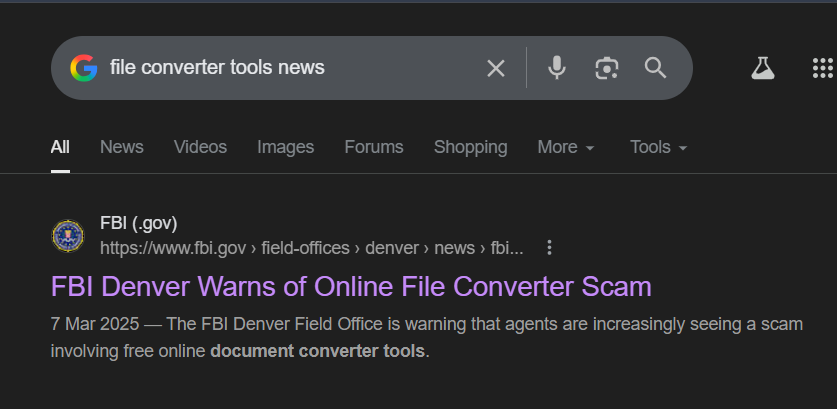
Now that requires some answers, don't they?
How safe are these online tools?
What really happens in the background when you click "Convert" on the webpage?
What other alternative do you have as a concerned user?
Online File Converters May store Copies of your File
When you upload one of your files to an online converter, depending on the tool design and stack, multiple factors can risk the safety of your files.
Most online tools are built in a way where file info may temporarily or permanently get logged, backed up, or stored as a copy via temp or cache via the servers.
What does Logging mean here?
Logging here means servers recording events for your files, such as:
- Filename, size, type
- Timestamps (upload/download time)
- IP address, device/browser info
- sometimes partial content or generated previews.
These logs are mostly used for debugging or analytics, but your info gets exposed nonetheless.
Why store Backups and Temporary copies of your files in Cache?
Online File Converter Tools don't do it for your specific file; it's more of an indirect flaw in their infrastructure, and that leads to these issues.
- Most online tools need to send your file to a RAM / Disk to process - split, encode, and decode.
- Large files or files requested again might need temp files to avoid memory overload or reprocessing, hence caching and temp files.
- Tools that enable CDN can automatically cache output info to reduce server load.
- Backup of services in the tool's backend might include partial info to your file if it exists at snapshot time during backup.
Why is this still a Concern?
So, like you would notice by now, these copies are made because systems prioritize speed and scale with minimal errors.
But even then, if a specific file converter tool online mentions "delete after conversion":
- Temp files may persist briefly or for a longer duration.
- Cached version expires later.
- Backups can retain older snapshots.
File Encryption on Servers - Risks and Vulnerabilities
Most converter websites implement HTTPS, so file safety during transit isn't really a concern.
The risks mostly come from how the data is decrypted, processed, and handled on their servers.
- Even when encrypted, the backend service of these tools holds the keys. It means staff or attackers with access can easily decrypt and access your file info.
- While getting processed, your file may be vulnerable to memory leaks, debugging logs dumping content, or exploits reading process memory. This is more likely given that most online tools are small-scale projects run by a person or two with minimal security measures.
Unless their platform has a dedicated key management service or per-session keys, hardcoded keys that aren't rotated and remain static through processing pose considerable risks to external attacks.
If they use an external CDN or API, that's a whole another story where multiple encryption / decryption triggers exposure risk at higher rates.
Hacking or Data Leakage Risks
Not so fun fact: Most leaks and hacking related risks for small tools arise from bad configuration and infrastructure management than external exploits alone.
Attackers can exploit online file converter tools via various means:
Malformed File Structure (Parser Bugs)
- Formats like PDF, DOCX, images, etc., have complex specs
- Attackers deliberately break structure (invalid offsets, oversized objects, recursive references)
- If the parser doesn’t validate properly → memory corruption (buffer overflow, heap overflow)
Once exploited, attackers can access other users' files on the same server.
Shared Storage Exposure
- Files often stored in shared buckets (e.g., cloud storage)
- Misconfigurations (public URLs, weak access rules) → anyone with a link can access files
- Common issue: predictable file URLs (
/uploads/file123.pdf)
Miscellaneous
- If access control isn't enforced per user, attackers can enumerate and download other files by guessing file IDs.
- They can query the database storing file paths and metadata via SQL injection, which can further execute system commands, causing leakage across the userbase.
- Debug logs may accidentally store file content, extracted texts, which are more prone to being exposed since they aren't protected like main storage.
What's the Alternative?
If you're a regular visitor to these online websites, your best bet would be switching to a Desktop application like Convert Files - 1/10th of the memory space, 2x conversion speed, zero ads.
Install once, use forever.
Never worry about privacy ever again with your files. Your files are only for your eyes. Give it a go.
